Start with
your Settings.
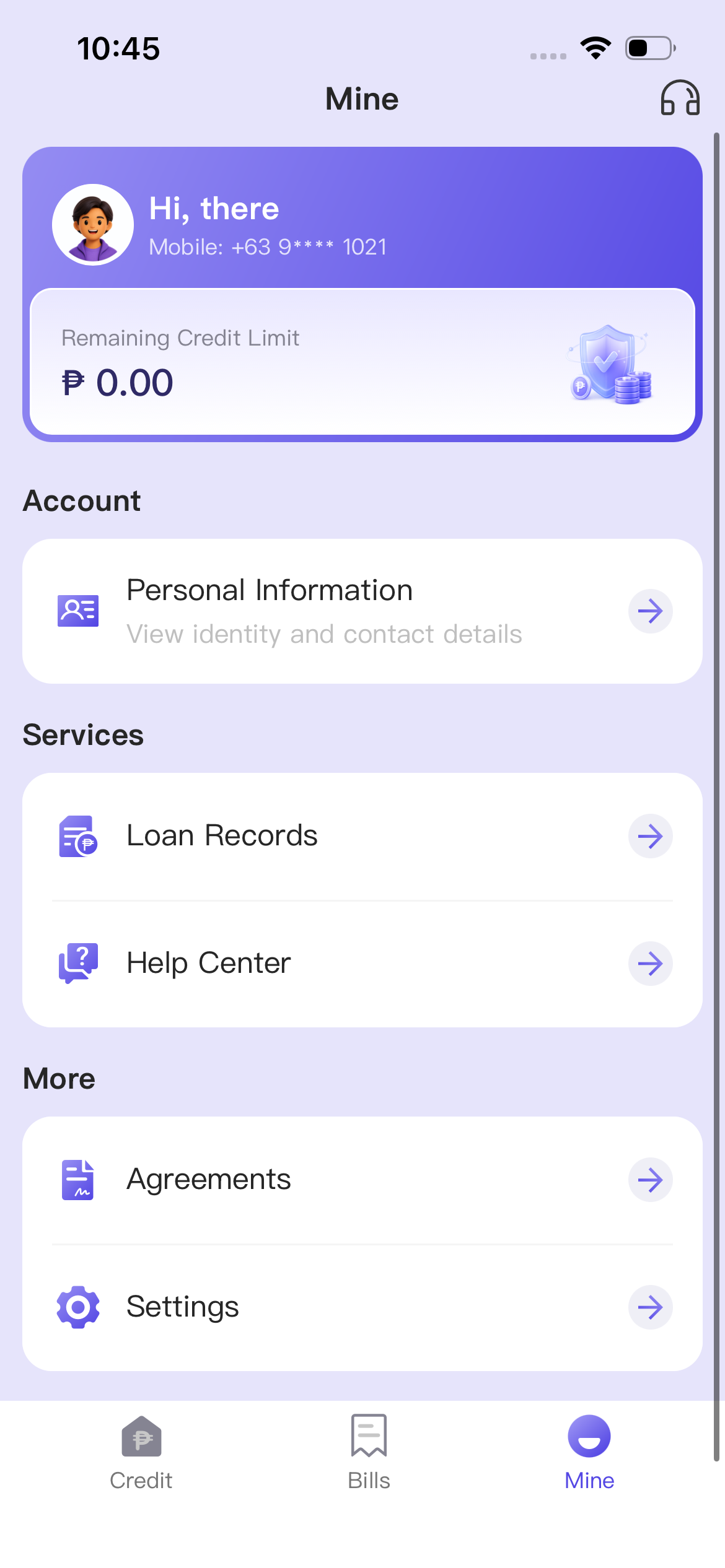
Open the PesoCash app and tap Mine in the bottom navigation. Under More, tap Settings.

A clear guide, one step at a time. Follow the screenshots below to submit an account deletion request in the PesoCash app.
Open the PesoCash app and tap Mine in the bottom navigation. Under More, tap Settings.

On the Settings page, tap Delete Account at the top of the screen.

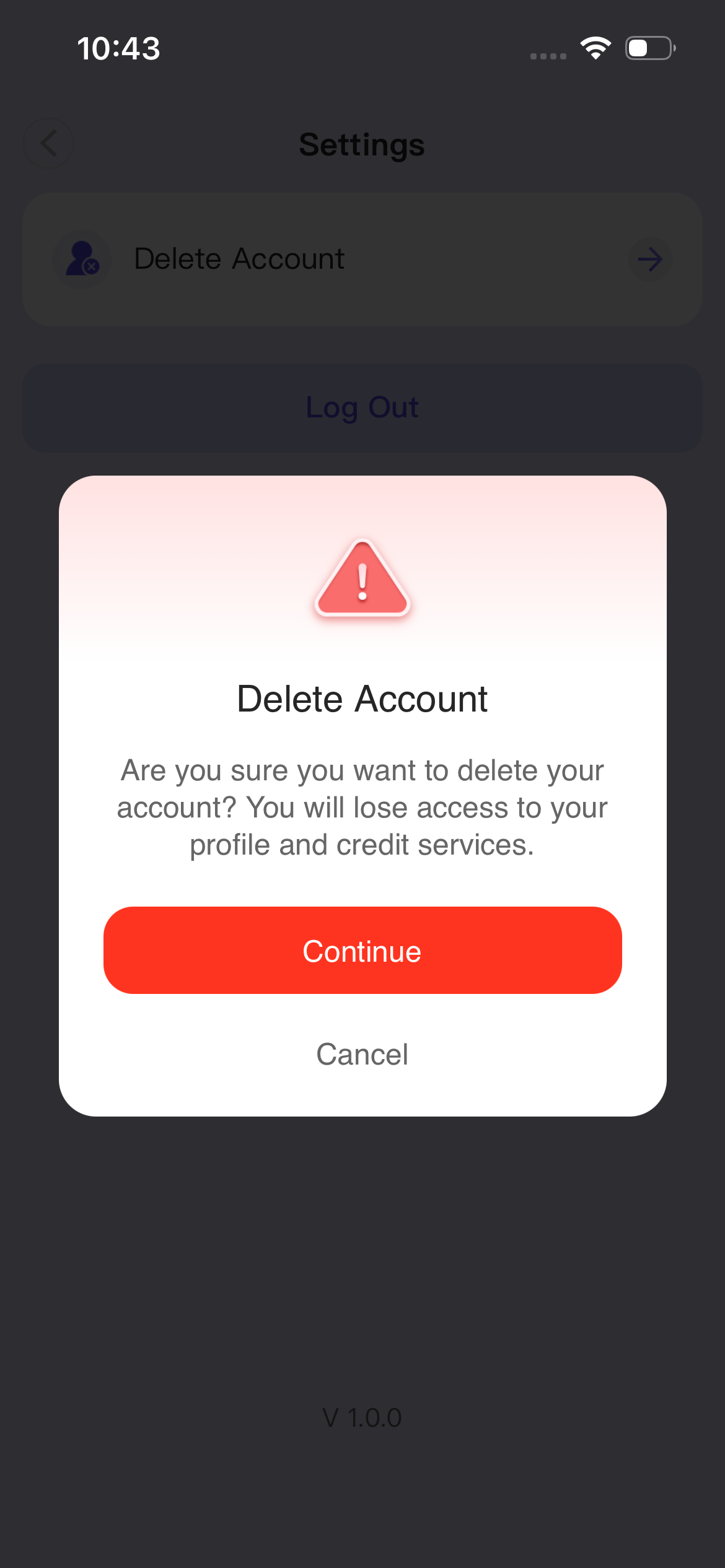
The app explains that deleting your account will remove access to your profile and credit services. Read the notice, then tap Continue if you want to proceed.

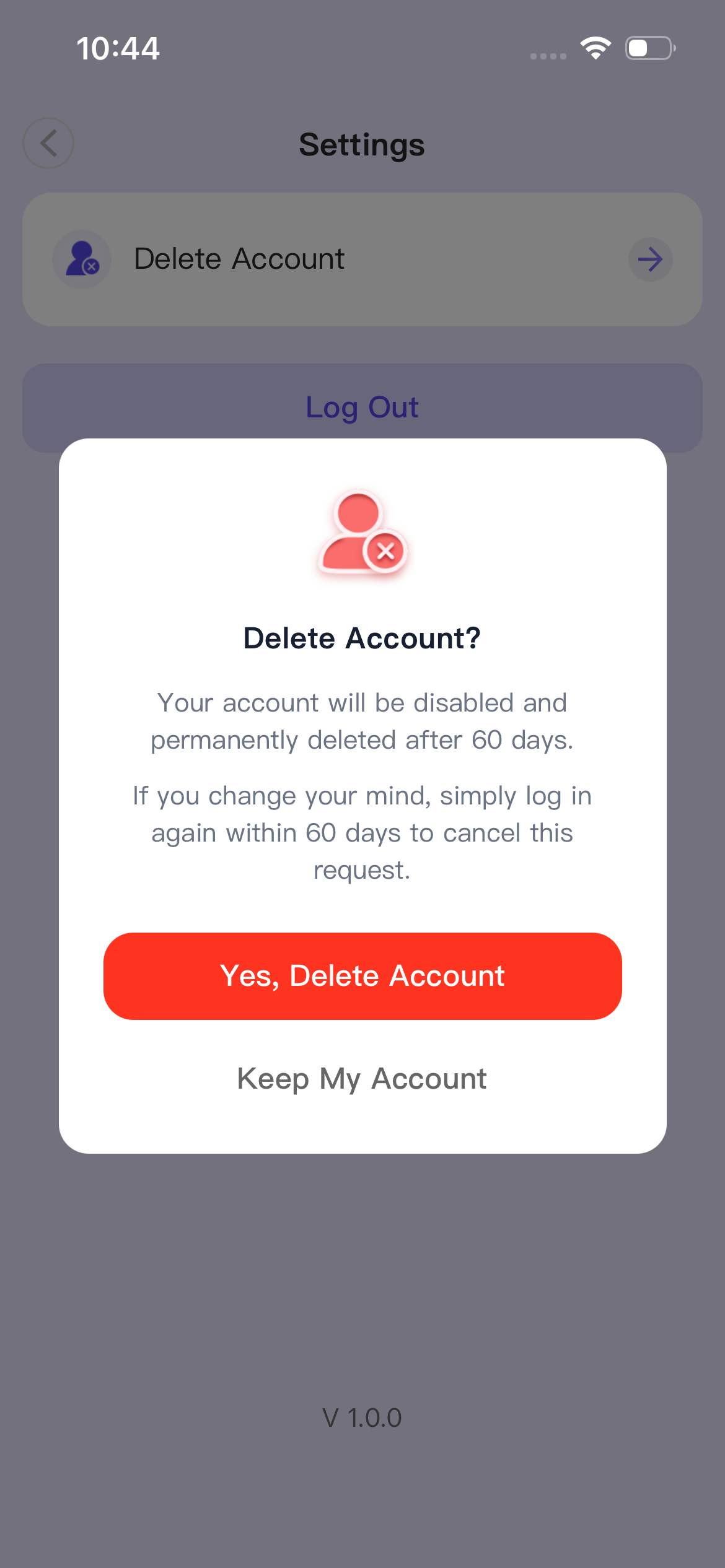
The confirmation explains that your account will be disabled and permanently deleted after 60 days. To proceed, tap Yes, Delete Account.

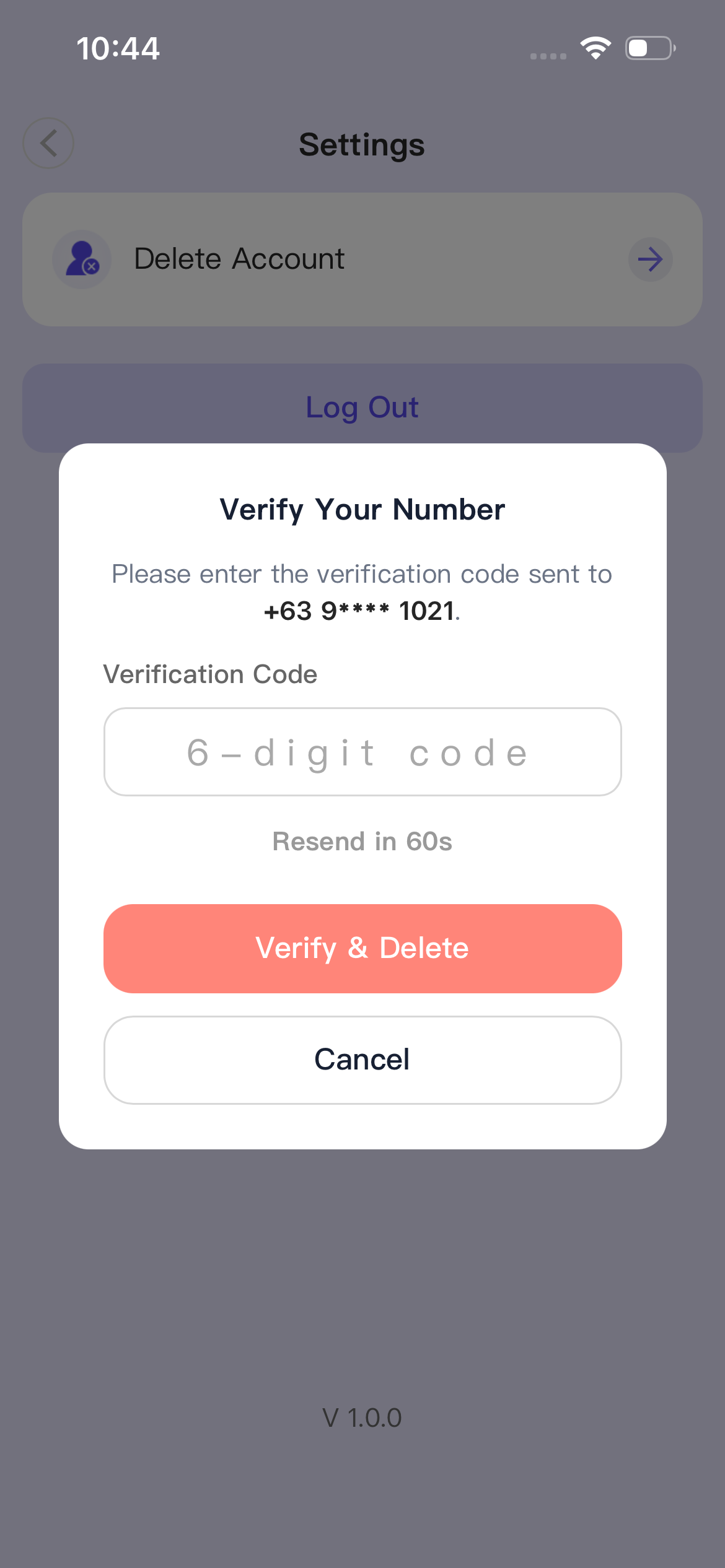
Enter the 6-digit verification code sent to your registered phone number. Tap Verify & Delete, then check the result shown in the app.

As explained in the app’s confirmation notice.
The notice states that your account will be disabled.
Log in again if you want to cancel your deletion request.
Your account will be permanently deleted, as stated in the notice.
Before you make your decision.
Yes. According to the confirmation notice, logging in again within 60 days cancels the request. Before submitting, you can also choose Cancel or Keep My Account when those options appear.
Check that you can receive messages on your registered phone number. Wait for the resend countdown to finish, then request another code in the app. If you still need help, use the support headset icon on the Mine page.
Complete the deletion request in the PesoCash app by following the five steps above. This page provides instructions; it does not collect verification codes or submit account requests.